For authorised Australian certifiers
Effortlessly prepare copy-certification documents for wet-ink signing.
Scan a document or import a PDF, add your saved certification details, review and print directly from your phone or tablet. Compare the copy with the original and complete the certification in ink.
Coming to the App Store
Optional electronic signing is available for accepting recipients. Signeta is operated by Signeta Pty Ltd.
A copy, ready
for the next step.
Fictional document for illustration only.
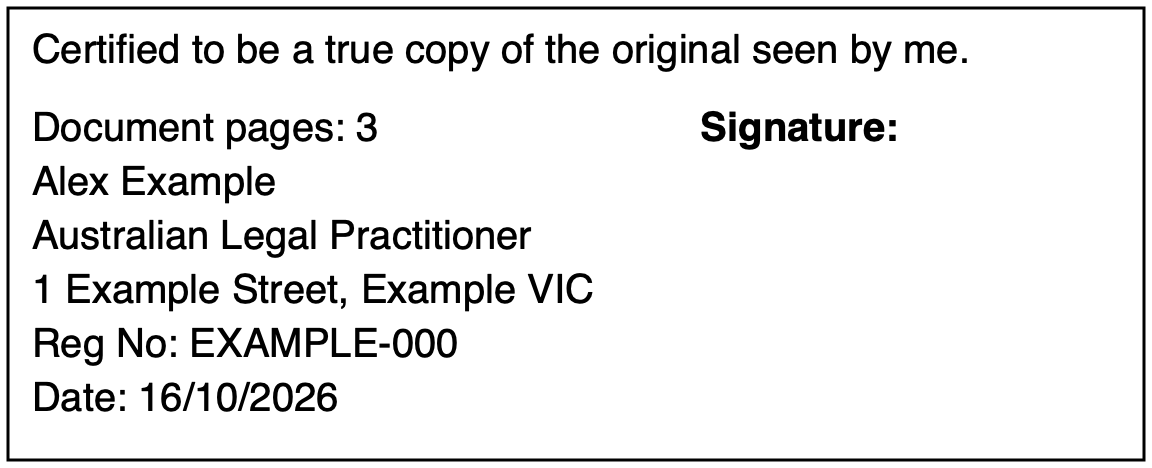
Stamp generated with Signeta · Synthetic data
Prepare. Review.
Print and sign.
A considered workflow for the work around certification.
- 01
Start with your document.
Scan with your device or import a PDF. Add your saved professional details and configure your certification wording to local and recipient requirements.
- 02
Put everything in place.
Position the certification block, check each page and inspect the generated final PDF.
- 03
Complete it on paper.
Print the unsigned PDF with your certification block. Inspect the original and complete certification in ink, following the recipient’s requirements.
Alex Example
Australian Legal Practitioner
- Jurisdiction
- Victoria
- Registration
- EXAMPLE-000
- Wording
- Review for your procedure
Illustrative profile · Fictional details
Your details, ready for
the next document.
Keep one professional profile on your device. Your name, occupation, address and optional registration no. are ready — no need to order or carry a rubber stamp.
Choose commonly used state or territory certification wording, or use your own custom wording. Always review it against the requirements of the task.
Explore the certification stampWork from scans
or existing PDFs.
Scan using three A4 layout presets — A4 document, standard ID card or standard passport — or import an existing PDF. Non-A4 originals scanned under the A4 preset will be resized to fit A4.
Everyday documents
A4 documents, including multipage copies.
Both sides, together
Standard ID card front and back on one A4 sheet.
Passports
A standard passport scanned and stamped in a considered layout.
Review the PDF.
Move one certification block to a suitable page, use page controls and inspect the generated output before it leaves the app.
You remain responsible for the wording, placement and any additional signatures or initials.
See how review worksThe blank space is intentional. The authorised certifier signs after printing.
Document processing
on your device.
Signeta processes scans, PDFs, certification stamps and drawn signatures on your device. It does not upload your documents to Signeta application servers. You choose when to print, save or share a copy.
Read about privacy and temporary filesBefore you begin.
All support questionsWho can certify a copy?
An authorised person whose profession, jurisdiction and the recipient’s procedure permit it. Signeta does not grant or verify professional authority.
Is the unsigned PDF already certified?
No. It is preparation for an authorised certifier to inspect the original and complete certification on paper, including the required wet-ink signature.
Are electronic signatures accepted everywhere?
No. Confirm the exact requirements for certification, signature method and submission with the recipient. A PDF upload option does not establish acceptance of electronic certification.
Can I prepare documents without a connection?
Document processing happens on your device. Cloud files may need downloading, and Apple purchase, entitlement or restore checks can require an internet connection.
Coming to the App Store
Your certification stamp, on iPhone and iPad.
Copy preparation modernised.
Explore the workflow For authorised certifiers. Check the original, your authority and the recipient’s requirements.